DialApp
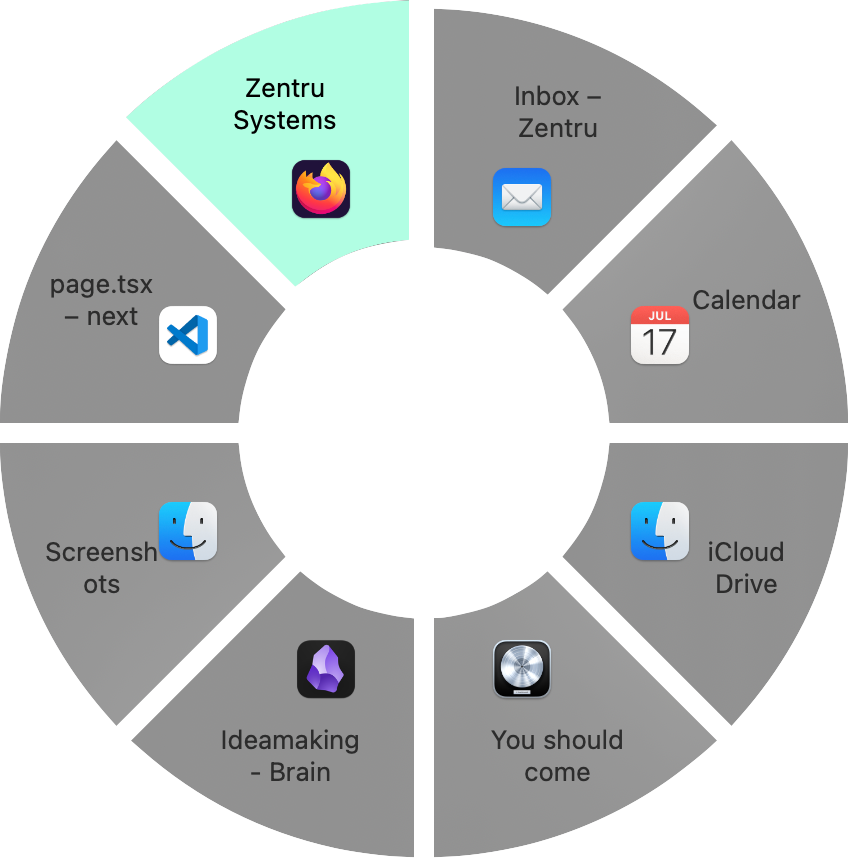
Window switching, productive with emotions
No empty travels with your cursor, the menu is always where you are.
Why DialApp?
Your cursor stays at the middle of the screen, ready for the next window, without having to move it to the edge or even another screen,
only for the dock to stay hidden until it pops up for a second, before giving up on you again. Save your energy for what you really want to do.
DialApp solves this issue by showing a radial menu, as seen in Sci-Fi and Games, showing all your open windows.
"Ha I can do that with Cmd+Tab already!" you might say, but try switching between multiple Finder windows...DialApp can do that
Who is DialApp for? – Anyone working with a Mac and wishing it had a better way to switch windows than to stack them.
Features
DialApp is fast, it is simple and is set up in two minutes.
Customizable global keyboard shortcut.
Resource efficient, it won't slow your Mac down, no matter how old.
Satisfying to use, customizable to your liking.